Viewing Python Packages' Information Directly From the Terminal
Why do I need this?
As a programmer, you probably know how to use a terminal. Sometimes you just don’t want to have to open up a browser only to check how many downloads your favorite Python package has, or you just wanna see how to do something in a specific library such as django or maybe you want to see if a package exists and see its description before you install it. I’ve also faced these issues so I went out to create my own library to interface PyPI within a terminal.
I do not earn nor do I want to earn any gains from this, this is purely for the users’ productivity
How does it look?
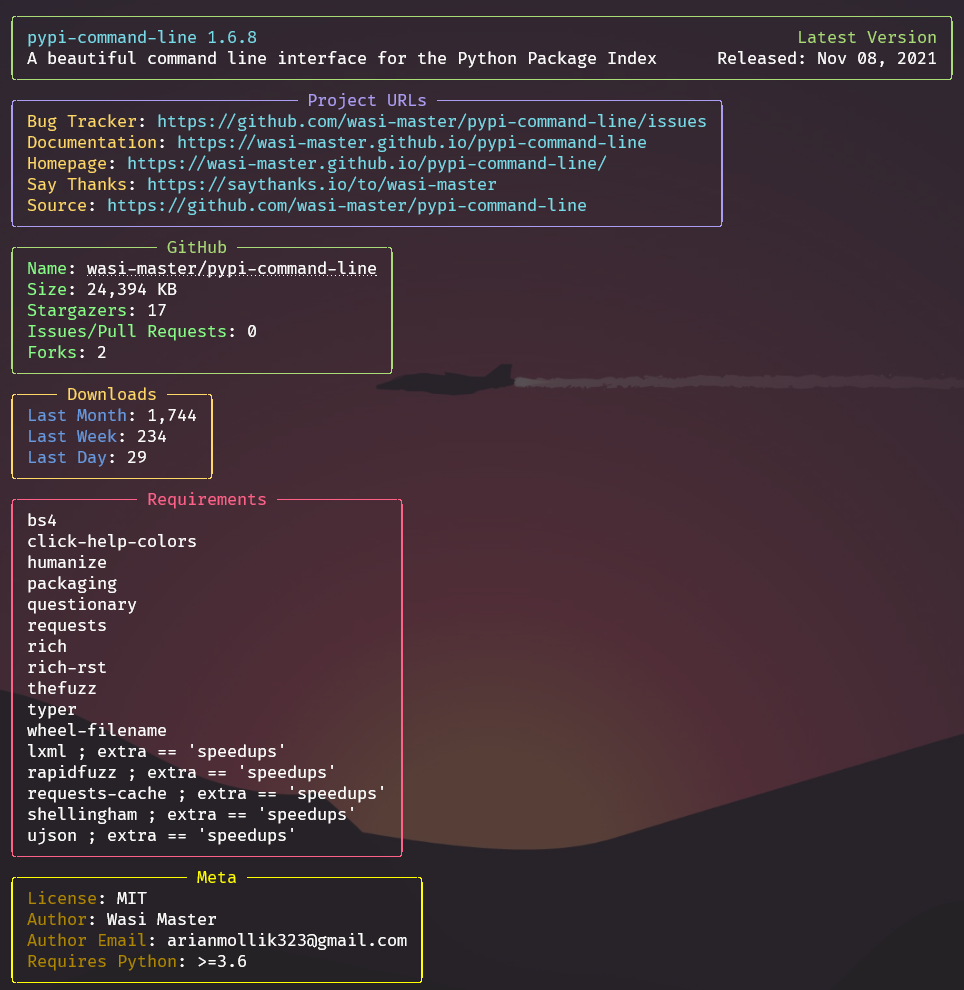
Here’s an example of how the information command looks:
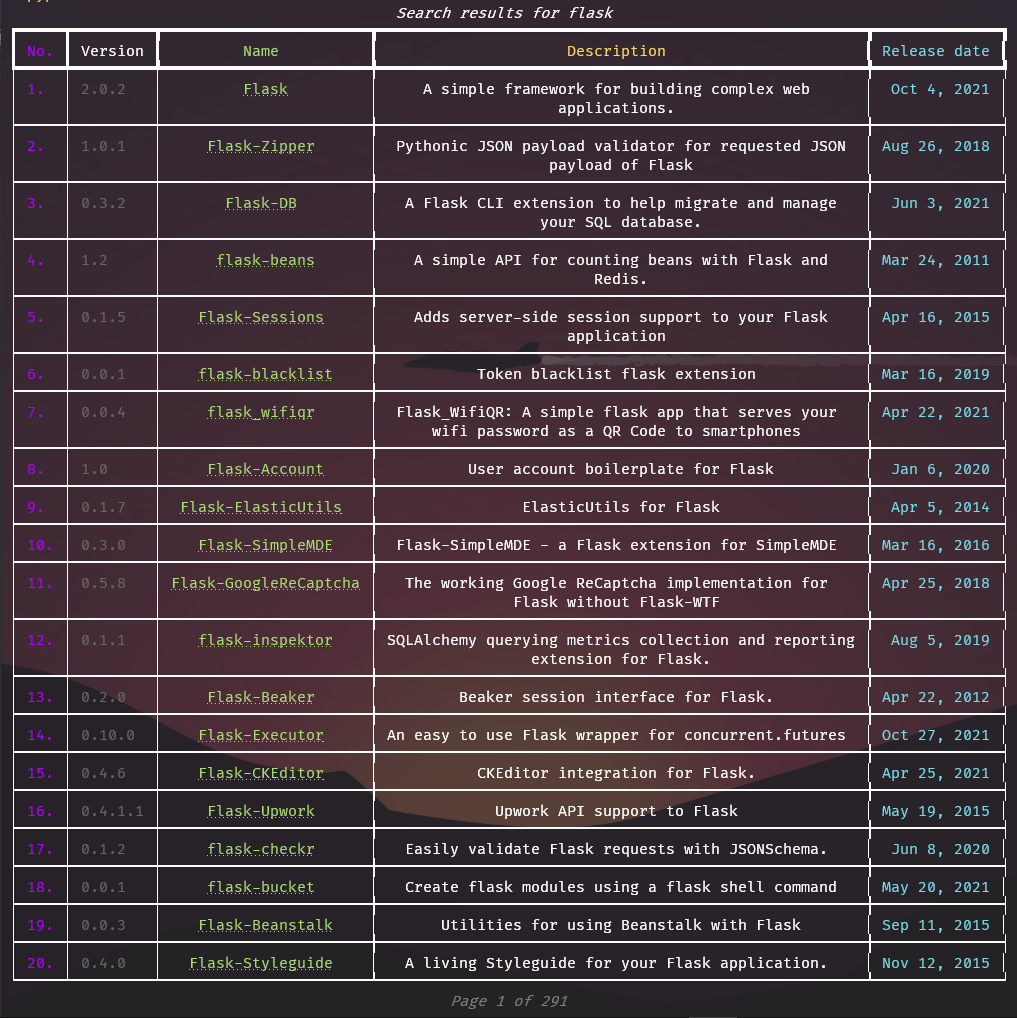
And for the search command:
For screenshots of all the other 15+ commands, be sure to check out the documentation
How does it work?
How the information command works is that it uses the PyPI API to fetch general information about the package. Then it uses the GitHub API to get information such as the stars, forks, size, etc. Then, at last, it uses the PyPI Stats API to get the download count per month, week, and day. Then it combines all these to form a beautiful display with rich colors, panels, hyperlinks, and much more! It also implements caching logic so usage in long coding sessions can stay smoother than ever!
How do I install it?
You can install it just by running
1 | pip install pypi-command-line |
Then you can use the pypi -h command to test it out. For more information see the installation page on the docs
And to test out the package info feature you can run:
1 | pypi info Django |
Django is just an example, you can see info for any package on PyPI
Can I see the source code, please?
The source code is available on GitHub: wasi-master/pypi-command-line
Ending Notes
But wait there’s more, It has tons of smart features that help you in many ways, It has a lot of other commands too such as browse , information , description , search , wheels , releases , largest-files , regex-search , version , cache-info , cache-refresh , cache-clear , new-packages , new-releases , read-the-docs